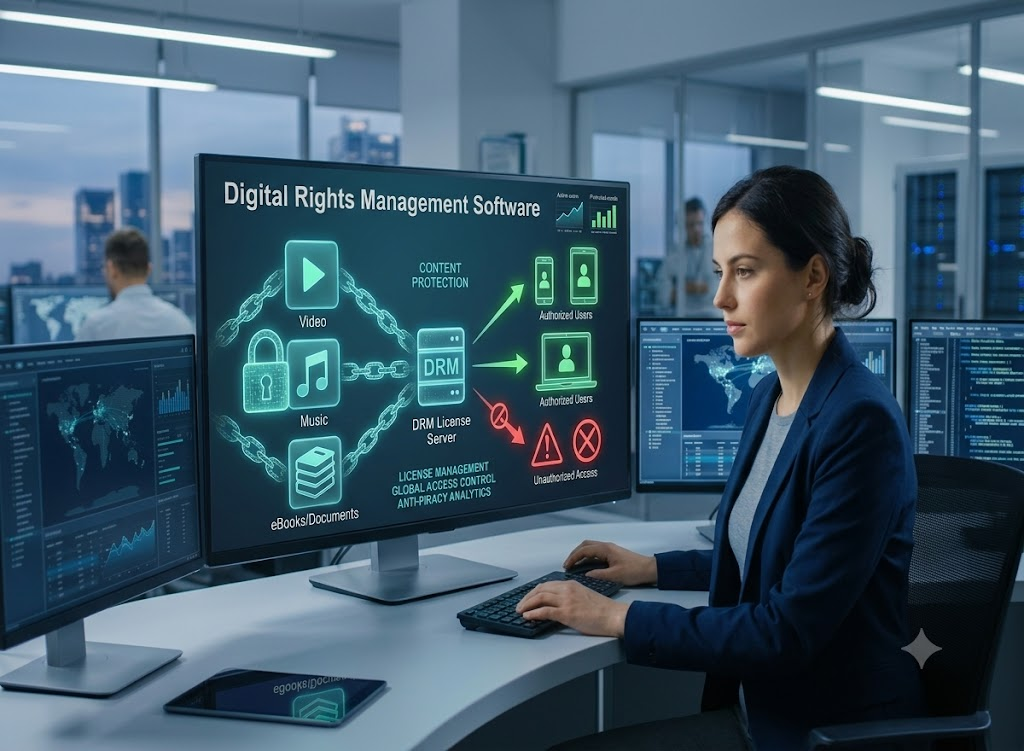
The streaming industry loses billions annually to video piracy and unauthorized credential sharing. For Over-The-Top (OTT) platforms operating in high-value markets like the USA and the UAE, securing premium video content is not just a technical requirement it is a strict legal mandate enforced by major content studios.
Whether you are launching a proprietary streaming app through an established OTT platform development company or deploying customized White Label OTT Solutions, securing licensing rights for Hollywood blockbusters or live MENA sports broadcasts requires enterprise-grade protection. At the core of this defensive infrastructure is digital rights management software.
This guide provides a comprehensive, architect-level breakdown of digital rights management, how it integrates into modern OTT pipelines, and the strategic advantages it offers broadcasters in the United States and the Middle East.
Digital rights management software is a specialized security technology used by content distributors and broadcasters to encrypt digital media, control user access, and prevent unauthorized copying or distribution of copyrighted assets. In the OTT industry, it ensures that only authenticated users with valid subscriptions or purchase tokens can decrypt and playback video content on specific devices.
Unlike basic password protection or standard video encryption (like HLS with AES-128), true digital rights management requires hardware-level integration on the user’s device and dynamic communication with a remote license server.
The Dual Perspective: Business and Technical
Understanding DRM requires looking at it through two distinct lenses: the revenue side and the engineering side.
The Business Perspective
From a commercial standpoint, digital rights management software is a revenue assurance tool.
Licensing Compliance: Major studios (e.g., Disney, Warner Bros) enforce strict security guidelines. Without a recognized DRM solution, platforms cannot legally distribute premium VOD (Video on Demand) content.
Monetization Protection: DRM prevents users from using screen-recording software or downloading streams to distribute on illegal torrent sites, safeguarding SVOD (Subscription) and TVOD (Transactional) revenue models.
Geographic Fencing: It enforces blackout rules for live sports. For instance, an English Premier League match licensed for the UAE cannot be legally streamed by your platform to a user in the USA.
The Technical Perspective
From a technical perspective, DRM is a cryptographic key exchange mechanism.
Asymmetric and Symmetric Encryption: The video file is encrypted once using a symmetric key. The symmetric key is then delivered to the user securely using asymmetric encryption.
Content Decryption Module (CDM): DRM relies on a secure hardware or software module built into the device’s operating system or browser (like the secure enclave in iOS).
License Servers: These servers handle the complex logic of checking user entitlements (e.g., “Does this user have a 4K subscription?”) before issuing the decryption key.
OTT Architecture Diagram: How DRM Works
(Note: Below is a descriptive breakdown of a standard Multi-DRM OTT workflow).
Ingest & Transcoding: The raw video file is ingested into enterprise Video Content Management Systems and transcoded into adaptive bitrate (ABR) formats (HLS/DASH).
Packaging & Encryption (The DRM Packager): The packager requests encryption keys from the Key Management System (KMS). The packager encrypts the video segments (using Common Encryption – CENC) and attaches metadata signaling which DRM systems are supported.
Storage & CDN Delivery: The encrypted video files are stored in an origin server and cached across a Content Delivery Network (CDN) for global distribution.
Client Request: The user clicks “Play” on their smart TV or mobile app. The video player downloads the manifest file and recognizes that the content is encrypted.
License Acquisition: The video player extracts the DRM metadata and sends a secure request (including a user authentication token) to the DRM License Server.
Decryption & Playback: The License Server validates the token via the platform’s backend. If valid, it issues a DRM license containing the decryption key and playback rules (e.g., “allow playback for 48 hours, block HDMI output”). The device’s secure CDM decrypts the video and renders it to the screen.
Regional Focus: Why the USA and UAE Demand Robust DRM
The United States Market
The US is the most mature and fragmented OTT market globally. With high Average Revenue Per User (ARPU), it is a primary target for sophisticated piracy rings.
Early Access Windows: Premium VOD releases (movies hitting streaming platforms shortly after theaters) require the highest tier of DRM hardware protection to prevent instant pirated 4K rips.
Complex Syndication: Content ownership in the US often involves complex, highly specific rights (e.g., mobile-only rights, out-of-market sports packages). DRM software dynamically enforces these granular rules.
The UAE and MENA Market
The UAE is a rapidly expanding hub for digital entertainment, driven by high smartphone penetration and massive investments in live sports.
Live Sports Piracy: The MENA region struggles significantly with illegal IPTV services rebroadcasting live sports (like cricket and football). Real-time DRM key rotation is critical here to disrupt illegal restreaming.
Regulatory Compliance: Telecommunications regulatory authorities in the UAE strictly monitor digital content distribution, making secure content delivery pipelines a compliance necessity.
Top Use Cases for Streaming Platforms
Live Sports Broadcasting: Utilizing dynamic key rotation to prevent unauthorized streams from staying alive longer than a few minutes.
Premium VOD Rentals: Enforcing time-bound licenses (e.g., the user has 30 days to start watching, and 48 hours to finish once started).
Offline Viewing: Allowing users to securely download episodes to their mobile devices for flights. The DRM software issues an offline license that self-destructs after a specified timeframe.
Tiered Subscriptions: Serving 1080p content to standard subscribers while restricting 4K HDR streams strictly to premium subscribers using hardware-level DRM checks.
Comparing Leading DRM Solutions
To achieve cross-platform compatibility across modern OTT app development projects, OTT architects must implement a Multi-DRM strategy, integrating the “Big Three” providers.
Feature / System
Google Widevine
Apple FairPlay
Microsoft PlayReady
Primary Ecosystem
Android, Chrome, Android TV, Chromecast
iOS, macOS, Safari, Apple TV
Windows, Edge, Xbox, Smart TVs
Streaming Protocol
MPEG-DASH, HLS
HLS
MPEG-DASH, Smooth Streaming
Hardware Security
Level 1 (Hardware), Level 3 (Software)
Hardware-backed secure enclave
SL3000 (Hardware), SL2000 (Software)
Best For
Mobile apps (Android) and web streaming.
Premium content on Apple devices.
Gaming consoles and Windows PCs.
Pros and Cons of Implementation
Pros
Unlocks Premium Content: Satisfies the strict security audits required by Hollywood and major sports leagues.
Granular Control: Allows platforms to enforce specific rules regarding resolution, output (blocking screen capture), and rental windows.
Revenue Protection: Drastically reduces casual piracy and credential sharing, directly impacting the bottom line.
Latency Issues: Poorly optimized license server requests can delay video startup time (Time to First Frame), frustrating users.
Cost: Enterprise DRM solutions and managed Multi-DRM services incur monthly licensing and usage fees.
Architect Best Practices and Expert Tips
Expert Insight:
“Do not attempt to build a DRM license server from scratch. The cryptographic complexity and maintenance of keeping up with browser and OS updates are immense. Instead, leverage a managed Multi-DRM provider or consult with specialized technology partners like ARYtech or platforms like Vodistryto focus your engineering efforts on your frontend player integration and backend entitlement logic.”
Best Practices for Deployment
Use Common Encryption (CENC): Encrypt your media files once using CENC. This allows you to use a single encrypted video file alongside multiple DRM systems, drastically reducing your storage and CDN costs.
Implement Forensic Watermarking: DRM stops unauthorized playback, but it cannot stop someone from recording their TV screen with a camera. Pair DRM with dynamic forensic watermarking to trace leaked videos back to the specific user account.
Optimize License Delivery: Pre-fetch DRM licenses during the app loading phase or while the user is browsing the catalog to ensure instant playback when they click play.
Frequently Asked Questions (FAQs)
1. What is digital rights management software in simple terms?
It is a security lock placed on digital video files. Only users who have the correct “key” (granted by logging in and paying for a subscription) can open and watch the video.
2. Can I use standard AES encryption instead of DRM?
Standard AES-128 encryption (Clear Key) hides the video, but the decryption key is sent in plain text to the browser. Anyone with basic developer tools can find the key and steal the video. DRM hides the key inside secure hardware.
3. Does DRM slow down video streaming?
If configured incorrectly, the time it takes to request and receive the DRM license can add a few hundred milliseconds to the startup time. However, optimized platforms use license pre-fetching so the user notices zero delay.
4. Why do I need a Multi-DRM setup?
Because Apple devices only support FairPlay, Android/Chrome devices rely on Widevine, and Windows devices prefer PlayReady. To reach all users, your platform must support all three simultaneously.
5. How much does digital rights management software cost?
Costs vary based on the vendor and usage scale. Typically, managed Multi-DRM providers charge a setup fee and a fraction of a cent per issued license, scaling with your active user base.
6. Can DRM stop screen recording?
Yes. Hardware-level DRM (like Widevine L1 or PlayReady SL3000) prevents the operating system’s screen capture APIs from accessing the decrypted video frames, resulting in a black screen if a user tries to record.
7. Does DRM work for offline downloads?
Yes. Modern DRM systems support persistent licenses. The OTT app securely downloads the encrypted video and a time-bound DRM license, allowing the user to watch offline until the license expires.
8. What happens when a DRM system updates?
Managed DRM vendors handle the backend updates. However, OTT platform developers must ensure their video player SDKs are regularly updated to maintain compatibility with the latest browser and OS security patches.
Conclusion
Building a successful streaming platform in highly competitive markets like the USA and UAE requires more than just a great content library and a sleek user interface. It requires an ironclad commitment to content security.
Understanding what digital rights management software is and how to architect it seamlessly into your streaming pipeline is the difference between a profitable enterprise OTT business and one crippled by piracy and licensing lawsuits. By adopting a Multi-DRM approach, utilizing Common Encryption, and following stringent backend entitlement protocols, platforms can protect their revenue while delivering flawless viewing experiences to their users.
Ready to secure your streaming infrastructure?
Our team of OTT Solution Architects specializes in integrating enterprise-grade Multi-DRM systems, custom video players, and high-performance backend infrastructures. Contact ARYtech today to audit your current platform security or to start building a studio-compliant streaming service from the ground up.
Dubai’s transformation into a global powerhouse for artificial intelligence is no longer just a vision it is an operational reality. Driven by government initiatives like the Dubai Universal Blueprint for Artificial Intelligence (DUB.AI) and regulated by bodies such as the Saudi Data and Artificial Intelligence Authority (SDAIA) and the UAE’s AI, Digital Economy, and Remote Work Applications Office, the emirate has established a business-friendly environment for technological innovation.
For tech leaders, digital product managers, and enterprise architects, partnering with the right AI companies in Dubai is essential to executing a successful digital roadmap. Whether you need to deploy an in-Kingdom Retrieval-Augmented Generation (RAG) system, automate complex supply chain logistics, or integrate custom machine learning algorithms into your enterprise stack, choosing the ideal software engineering firm requires navigating real-world technical trade-offs, compliance mandates, and budgetary expectations.
This comprehensive guide breaks down the top AI companies in Dubai, examining their technical capabilities, pricing models, architectural frameworks, and implementation best practices to help you make an informed vendor decision.
The State of Enterprise AI in Dubai
Dubai’s AI ecosystem operates at the intersection of public-sector policy and private-sector investment. Driven by government mandates like the UAE National Strategy for Artificial Intelligence 2031, the region prioritizes local data residency, bilingual Arabic-English Large Language Models (LLMs), and autonomous agentic workflows.
Enterprise AI implementations in the UAE have matured beyond basic conversational wrappers or simple text generators. Organizations are actively building custom machine learning models, deploying computer vision systems for smart city infrastructure, and integrating predictive analytics into legacy ERP platforms.
When building this infrastructure, tech leaders must partner with experienced software developers who specialize in ai development services that comply with strict regional data sovereignty and privacy standards.
How We Evaluated the Leading AI Vendors
To provide a clear, unbiased recommendation, our engineering panel evaluated dozens of local and international AI agencies operating in the United Arab Emirates. Each provider was assessed across five core parameters:
Custom AI & ML Depth: Ability to build, fine-tune, and deploy bespoke machine learning models rather than simply wrapping public APIs.
Arabic NLP Capabilities: Native support for Arabic Natural Language Processing, dialect recognition, and localized data processing.
Enterprise System Integration: Proven track record of integrating AI microservices into legacy enterprise platforms (SAP, Oracle, Salesforce).
Data Security & Sovereign Compliance: Strict adherence to UAE Federal Decree-Law No. 45 on Personal Data Protection (PDPL) and local data residency rules.
Cost Transparency & ROI Delivery: Fair pricing models, clear milestone structures, and a history of delivering measurable business outcomes.
Top AI Companies in Dubai: Comparative Breakdown
Evaluating specialized software providers requires looking at both local market reputation and technical engineering capabilities. The table below offers a high-level comparison of the leading AI companies in Dubai:
Custom AI Engineering, Enterprise RAG, Agentic Workflows
Mid-Market & Enterprise
AED 40,000 – AED 250,000+
Localized Arabic NLP, custom model building, low-latency integration.
Code Brew Labs
Generative AI SaaS, Enterprise Workflows, Mobile AI Integration
Startups & Mid-Market
AED 35,000 – AED 150,000
Fast prototyping, custom UI/UX, scalable AI mobile apps.
Simform
Custom Software, Cloud AI Deployments, System Integrations
Enterprise & Global Brands
AED 50,000 – AED 300,000+
Large engineering teams, MLOps, cloud infrastructure.
Blink22
Web/Mobile AI Tools, Natural Language Processing, Custom APIs
Startups & Scaleups
AED 30,000 – AED 120,000
Agile delivery, clean API engineering, UI/UX polish.
ELEKS
Enterprise Digital Transformation, Custom ML, Big Data
Enterprise & Public Sector
AED 100,000 – AED 500,000+
R&D capabilities, deep data science, heavy industrial AI.
Key Market Players Analyzed
1. Arytech
Overview:Arytech has established itself as a premier technical partner for organizations across the Middle East seeking custom ai development services tailored to regional business needs. The company focuses heavily on custom model training, enterprise-grade Retrieval-Augmented Generation (RAG), and sovereign AI deployments.
Core AI Services: Custom LLM fine-tuning, Agentic workflow automation, bilingual Arabic-English NLP, predictive analytics engines, and enterprise data lake engineering.
Key Benefits: High data privacy compliance (PDPL-ready), zero reliance on generic black-box APIs, and direct integration into existing enterprise platforms.
Estimated Cost Range: AED 40,000 for focused AI automation modules up to AED 250,000+ for full-scale enterprise AI deployments.
2. Code Brew Labs
Overview: A well-known tech agency operating across Dubai, Code Brew Labs offers digital product development with a dedicated focus on custom AI SaaS platform builds and generative AI integrations.
Core AI Services: Custom AI SaaS platform development, NLP-powered service automation, and predictive recommendation systems.
Key Benefits: Competitive pricing models, rapid MVP rollouts, and strong mobile application interface design.
Estimated Cost Range: AED 35,000 – AED 150,000.
3. Simform
Overview: Operating globally with a strong presence in the UAE market, Simform assists mid-market companies and large enterprises in modernizing their digital infrastructure through cloud-native AI integrations.
Core AI Services: MLOps lifecycle management, custom computer vision solutions, and cloud data architecture engineering.
Key Benefits: Dedicated engineering teams, strong communication practices, and deep experience across regulated industries.
Estimated Cost Range: AED 50,000 – AED 300,000+.
4. Blink22
Overview: Blink22 focuses heavily on building custom web and mobile software platforms, incorporating intelligent features like predictive search, NLP chatbots, and automated workflows for digital-first businesses.
Core AI Services: Custom API development, conversational AI interfaces, and light-weight machine learning model integrations.
Key Benefits: Transparent communication, agile sprint methodologies, and polished user interface design.
Estimated Cost Range: AED 30,000 – AED 120,000.
5. ELEKS
Overview: ELEKS delivers complex data science, machine learning, and enterprise digital transformation services for large corporations and public-sector entities.
Core AI Services: Custom R&D data science, deep neural network engineering, and industrial-scale predictive maintenance models.
Key Benefits: Massive engineering capacity, rigorous quality assurance, and deep mathematical modeling expertise.
Estimated Cost Range: AED 100,000 – AED 500,000+.
Enterprise AI System Architecture: A Technical Overview
Deploying an enterprise-grade AI system requires a modular, maintainable software design. Below is a technical description of a modern, multi-tier Retrieval-Augmented Generation (RAG) and Agentic Workflow architecture:
Data Ingestion & Cleaning Layer: Automated ETL pipelines pull unstructured data (PDFs, contracts, support tickets) and structured tables (SQL, ERP records). The data is tokenized, sanitized of sensitive personal information (PII), and processed.
Vector Embedding & Storage Fabric: Cleaned data is passed through high-performance embedding models (such as localized bilingual models) to generate mathematical vectors. These vectors are indexed inside a secure vector database (e.g., Qdrant, Pinecone, or self-hosted PostgreSQL pgvector) hosted within local UAE cloud regions.
Contextual Retrieval Engine: When a user or system initiates a query, the retrieval layer searches the vector database using semantic similarity matching. It retrieves the top relevant context blocks while adhering to strict user role-based access controls (RBAC).
Model Orchestration & Guardrails Layer: The retrieved context is combined with the original query and sent to an orchestrated model mesh (using frameworks like LangChain or LlamaIndex). An automated guardrail engine screens incoming and outgoing prompts for compliance, privacy leaks, and hallucination risks.
Agentic Execution & API Gateway: The AI model does not just return text; it can execute multi-step actions (calling internal microservices, updating CRM records, or generating automated invoices) via secure RESTful APIs and webhooks.
Cost & Investment Frameworks for AI Projects in the UAE
AI software pricing in Dubai depends on technical complexity, data readiness, integration density, and hosting requirements. The tables below outline realistic financial benchmarks for regional projects:
1. Overall Implementation Cost Breakdown
AI Project Tier
Scope & Deliverables
Build Cost (AED)
Annual Maintenance (20–35%)
Proof of Concept (PoC)
Data readiness audit, single-silo RAG test, basic UI sandbox.
AED 15,000 – AED 35,000
AED 5,000 – AED 10,000
Focused AI Module
Custom NLP agent, specialized workflow bot, API middleware.
AED 35,000 – AED 85,000
AED 10,000 – AED 25,000
Enterprise AI System
Multi-source data pipeline, Agentic execution, legacy ERP integration.
AED 90,000 – AED 250,000
AED 25,000 – AED 70,000
Sovereign Platform
Custom model fine-tuning, on-prem hardware deployment, MLOps suite.
AED 300,000 – AED 750,000+
AED 70,000 – AED 180,000+
2. Specific Service Pricing Benchmarks in Dubai
AI Service Category
Core Features Included
Typical UAE Price Range (AED)
Enterprise AI Chatbot / RAG
Bilingual Arabic/English, CRM sync, WhatsApp & Web channel integration.
AED 30,000 – AED 80,000
AI Video Analytics
Computer vision engine, 15–30 camera streams, automated alerting.
Commercial organizations in Dubai leverage AI development services to solve complex operational challenges:
1. Financial Services & FinTech
Use Case: Automated Anti-Money Laundering (AML) and fraud detection.
Impact: Real-time analysis of transaction streams flags suspicious patterns instantly, reducing manual auditing workloads by up to 70% while satisfying Central Bank of the UAE regulatory standards.
2. Real Estate & PropTech
Use Case: Automated property valuation engines and intelligent lead routing.
Impact: Computer vision networks analyze property images and market historical trends to estimate rental yields, while localized conversational agents qualify incoming buyer inquiries 24/7.
3. Supply Chain & Smart Logistics
Use Case: Predictive demand forecasting and automated fleet routing.
Impact: Machine learning algorithms evaluate port congestion data, regional weather patterns, and historical order volumes to minimize fuel consumption and reduce delivery delays.
Pros & Cons of Onshore vs. Offshore AI Vendors
When contracting AI companies in Dubai, technology leaders often choose between fully local (onshore) engineering firms and remote offshore teams.
┌─────────────────────────────────────────────────────────────────┐
│               Onshore vs. Offshore Vendor Trade-offs             │
├─────────────────────────────────────────────────────────────────┤
│ ONSHORE (Dubai-based)                                           │
│  ✔ On-site collaboration & direct accountability                 │
│  ✔ Full understanding of UAE PDPL compliance laws               │
│  ✖ Higher development retainer costs                            │
├─────────────────────────────────────────────────────────────────┤
│ OFFSHORE / HYBRID                                               │
│  ✔ Lower initial hourly build rates                             │
│  ✖ Communication friction & potential data transfer risks       │
│  ✖ Reduced context on regional Arabic linguistic nuances       │
└─────────────────────────────────────────────────────────────────┘
Expert Tips for Selecting an AI Partner
Expert Insight:“Never select an AI vendor based solely on an impressive front-end demo. Most basic demos rely on unconstrained public APIs that fail under real enterprise load. Always ask prospective partners to show their error handling, data privacy safeguards, and MLOps maintenance frameworks.”
Demand Architecture Transparency: Ask the vendor to provide a complete diagram showing where data travels, how vector embeddings are generated, and where hosting servers sit.
Prioritize Modular, Framework-Agnostic Code: Ensure your application is built on flexible frameworks (e.g., PyTorch, LangChain, LlamaIndex) rather than locked into a single proprietary LLM provider.
Request a Paid Proof of Concept (PoC): Before committing to a six-figure custom software contract, commission a 4-week PoC to test the vendor’s code quality and delivery speed.
Inquire About Arabic NLP Fine-Tuning: Ensure the engineering team has experience handling the specific Arabic dialects relevant to your target demographic in the GCC.
Frequently Asked Questions (FAQs)
1. Why should my enterprise hire local AI companies in Dubai rather than using offshore agencies?
Hiring local AI companies in Dubai ensures your development team understands regional data privacy regulations (such as UAE Federal Decree-Law No. 45), guarantees local data hosting compliance, and provides native understanding of Arabic linguistic nuances.
2. How much does a typical custom AI project cost in Dubai?
A focused AI module or intelligent chatbot build generally ranges between AED 30,000 and AED 85,000. Complex enterprise-wide platforms featuring custom integrations and MLOps frameworks typically range from AED 90,000 to AED 250,000+.
3. How long does it take to develop and deploy an AI solution in the UAE?
A basic Proof of Concept (PoC) takes 3 to 5 weeks. A fully functional mid-complexity AI application takes 8 to 12 weeks, while enterprise-scale platforms require 4 to 6 months of development, testing, and compliance auditing.
4. What is the difference between a custom AI build and wrapping a public API?
Wrapping a public API simply routes your prompt to an external server like OpenAI without custom data grounding. A custom AI build involves engineering a secure data pipeline, constructing an in-house vector database, deploying guardrails, and fine-tuning models specifically on your private corporate data.
5. How do AI solutions in Dubai ensure compliance with local PDPL data laws?
Compliance is achieved by deploying AI workloads inside localized UAE cloud regions (such as AWS Middle East or Azure UAE) or on-premises micro-datacenters, encrypting data both in transit (TLS 1.3) and at rest (AES-256), and implementing strict role-based access controls.
6. Can an AI application integrate with our legacy ERP software?
Yes. Professional AI engineering agencies build custom API connectors and microservices that act as translation bridges between modern machine learning systems and legacy databases (e.g., SAP, Oracle, SQL mainframes).
7. What ongoing costs should businesses budget for after launch?
Organizations should budget 20% to 35% of the initial build cost annually to cover cloud hosting, API token consumption, continuous security patching, model drift monitoring, and maintenance.
Conclusion & Strategic Next Steps
Building a successful artificial intelligence capability in the United Arab Emirates requires balancing technical ambition with data security, compliance mandates, and clear ROI metrics. Partnering with the right software development agency ensures your enterprise can deploy scalable, future-proof AI systems without accumulating technical debt.
If you are ready to evaluate your organization’s AI readiness, build a custom proof of concept, or explore production-grade machine learning pipelines, consult with verified engineering specialists at Arytech today.
The explosion of streaming services has transformed how audiences consume video. Whether it’s a global media company launching a subscription platform, a broadcaster expanding into digital channels, or an enterprise delivering internal training, video has become the primary medium for engaging users. Behind every seamless streaming experience, however, lies a sophisticated system responsible for organizing, processing, publishing, and distributing thousands or even millions of video assets.
This is where Video Content Management Systems become indispensable.
Unlike traditional content management systems, a modern video content management platform is purpose-built to manage the complete lifecycle of video content from ingestion and metadata management to transcoding, digital rights management (DRM), analytics, and multi-device publishing. For OTT businesses, it serves as the operational backbone that enables efficient workflows, faster content delivery, and scalable streaming experiences.
As streaming audiences grow across the United States and the United Arab Emirates, organizations are under increasing pressure to launch content quickly, maintain consistent quality, and support multiple monetization models such as SVOD, AVOD, TVOD, and FAST channels. Without a centralized video content management solution, these goals become difficult to achieve.
This guide explains how enterprise-grade Video Content Management Systems work, their core architecture, business benefits, essential features, implementation best practices, and how they support modern OTT platform development. Whether you’re planning a new streaming service or modernizing an existing media ecosystem, this article will help you make informed technology decisions.
What Is a Video Content Management System?
A Video Content Management System (VCMS) is specialized software that enables organizations to store, organize, process, manage, publish, and distribute video assets from a centralized platform.
Unlike a website CMS that primarily manages text and images, a Video CMS is designed specifically for handling large media files, complex workflows, multiple video formats, metadata, transcoding, user permissions, and streaming delivery.
It acts as the central hub connecting content creators, editors, administrators, OTT applications, CDNs, analytics platforms, and end users.
In simple terms:
A Video CMS manages everything that happens before a viewer presses Play.
What Does a Video Content Management Platform Do?
An enterprise-grade video content management platform typically handles:
Video ingestion
Asset organization
Metadata management
Automated transcoding
Thumbnail generation
Subtitle management
DRM integration
Multi-language support
Content scheduling
User permissions
API integrations
Analytics
Multi-device publishing
CDN delivery
These capabilities allow media organizations to automate repetitive tasks while ensuring content remains secure, searchable, and accessible across multiple devices.
What is a Video Content Management System?
A Video Content Management System (VCMS) is enterprise software that manages the complete lifecycle of video assets, including ingestion, storage, metadata, transcoding, publishing, security, and distribution across OTT platforms, websites, mobile apps, and smart TVs.
Why OTT Businesses Need a Video Content Management Platform
Modern OTT platforms process thousands of content updates every month. Managing this manually quickly becomes inefficient and error-prone.
An enterprise video content management solution provides a centralized environment where content teams, developers, and business stakeholders collaborate without disrupting operational workflows.
Key business challenges solved by Video CMS
Large-scale media libraries
Content version control
Publishing delays
Metadata inconsistencies
Multi-device distribution
Regional content availability
Rights management
Security and compliance
Workflow automation
Without a centralized system, teams often rely on disconnected tools, resulting in duplicated work, inconsistent metadata, slower publishing, and increased operational costs.
Business Benefits
Challenge
Video CMS Solution
Large media libraries
Centralized asset management
Slow publishing
Automated workflows
Multiple OTT apps
Single publishing source
Security concerns
DRM and access control
Manual processing
Automated transcoding
Poor discoverability
AI-powered metadata
Expert Insight
Enterprise OTT platforms should view their Video CMS as a strategic business platform rather than simply a storage repository. The more intelligently content is organized and automated, the easier it becomes to launch new services, improve viewer engagement, and scale operations without significantly increasing operational costs.
How Video Content Management Systems Work
Understanding the workflow behind Video Content Management Systems helps organizations evaluate which platform best aligns with their technical and business requirements.
Although implementations differ, most enterprise platforms follow a similar processing pipeline.
Step 1: Content Ingestion
Content enters the platform through various sources:
Production studios
Live broadcasts
Mobile applications
Partner uploads
Cloud storage
FTP servers
API integrations
Supported formats commonly include:
MP4
MOV
MKV
AVI
MXF
ProRes
During ingestion, the system validates files and prepares them for processing.
Step 2: Metadata Management
Metadata transforms a video library into a searchable, organized content ecosystem.
Typical metadata includes:
Title
Description
Genre
Language
Cast
Director
Season
Episode
Keywords
Release date
Age rating
Rights information
Geographic availability
Modern platforms increasingly use AI to automate metadata generation through speech recognition, object detection, and facial recognition.
Step 3: Video Processing
Uploaded videos are processed into streaming-ready formats.
This typically includes:
Video transcoding
Resolution optimization
Adaptive bitrate encoding
Thumbnail creation
Subtitle generation
Audio normalization
Caption synchronization
Multiple versions are created for different devices and network conditions to ensure a consistent viewing experience.
Step 4: Content Publishing
Once processing is complete, administrators can publish content across multiple channels, including:
OTT mobile apps
Smart TV applications
Web platforms
Android TV
Apple TV
Fire TV
Roku
Samsung TV
LG TV
A single publishing workflow significantly reduces operational complexity and improves time-to-market.
Step 5: Content Delivery
The published content is delivered through a Content Delivery Network (CDN), which caches media closer to end users to reduce latency and improve playback performance.
This ensures:
Faster video startup times
Reduced buffering
High availability
Better global performance
Core Components of a Video Content Management Solution
Every enterprise video content management solution consists of multiple integrated components that work together to support content operations.
1. Media Asset Repository
The centralized storage layer where all video files, images, subtitles, and related assets are securely stored and managed.
2. Metadata Engine
Responsible for indexing and organizing content using structured metadata, enabling powerful search, filtering, and personalized recommendations.
3. Transcoding Engine
Converts source files into multiple streaming formats and resolutions compatible with different devices and network conditions.
Common output formats include:
HLS
MPEG-DASH
MP4
4. Digital Rights Management (DRM)
Protects premium content from unauthorized access and piracy through encryption and license management.
Common DRM technologies include:
Google Widevine
Apple FairPlay
Microsoft PlayReady
5. Content Scheduling Module
Allows administrators to:
Coordinate live events
Schedule releases
Set expiration dates
Manage regional availability
Publish seasonal campaigns
As organizations evaluate enterprise streaming technologies, they should also understand the broader role of an OTT platform development company in building scalable ecosystems that integrate content management, streaming infrastructure, monetization, analytics, and user experience.
For businesses planning mobile-first streaming experiences, exploring OTT app development considerations early in the project lifecycle helps ensure seamless integration between the application layer and the underlying Video CMS.
Similarly, organizations looking to accelerate deployment can assess White Label OTT Solutions that include a built-in Video CMS, reducing development time while retaining branding flexibility.
Core Features Every Enterprise Video Content Management System Should Include
Selecting a Video Content Management System is not simply about choosing software to store videos. Enterprise organizations require a platform capable of managing complex workflows, supporting millions of users, integrating with existing systems, and adapting to future business growth.
Below are the essential capabilities every enterprise-grade video content management platform should offer.
1. Centralized Content Library
As content libraries expand, manually organizing media assets becomes increasingly difficult. A centralized repository enables teams to manage videos from a single interface.
Benefits include:
Faster content discovery
Simplified asset organization
Elimination of duplicate files
Consistent content taxonomy
Improved collaboration across departments
2. Advanced Metadata Management
Metadata is the foundation of content discoverability.
Beyond titles and descriptions, enterprise platforms should support:
Categories
Genres
Cast and crew
Language variants
Geo-restrictions
Copyright information
Licensing dates
SEO metadata
Custom metadata fields
Well-structured metadata also improves content recommendations and personalized viewing experiences.
3. AI-Powered Content Tagging
Modern OTT businesses increasingly rely on artificial intelligence to automate content management.
AI capabilities may include:
Speech-to-text transcription
Scene detection
Facial recognition
Logo recognition
Object detection
Automatic keyword generation
Content moderation
This reduces manual effort while improving search accuracy across large video libraries.
4. Workflow Automation
Manual publishing slows operations and increases the likelihood of errors.
A robust video content management solution should automate repetitive tasks such as the following:
Encoding
Thumbnail generation
Subtitle creation
Metadata enrichment
Publishing approvals
Content scheduling
Archive management
Automation allows content teams to focus on programming rather than repetitive operational work.
5. Multi-Platform Publishing
Today’s viewers consume content across numerous devices.
A single publishing workflow should support:
Web
Android
iOS
Android TV
Apple TV
Roku
Amazon Fire TV
Samsung Smart TV
LG webOS
Gaming consoles
Publishing once and distributing everywhere significantly improves operational efficiency.
6. Enterprise Security
Content protection remains a top priority for broadcasters and premium OTT providers.
Key security capabilities include:
DRM integration
Token authentication
Role-based access control
Multi-factor authentication
Audit logs
Secure API authentication
IP restrictions
Encryption at rest and in transit
7. Analytics and Reporting
Business decisions should be driven by data.
Enterprise analytics should provide visibility into:
Most viewed content
Viewer engagement
Watch time
Drop-off points
Device distribution
Geographic performance
Subscriber behavior
Revenue performance
These insights help optimize both content strategy and platform performance.
Traditional CMS vs Video Content Management Systems
Although both systems manage digital content, their objectives are fundamentally different.
Feature
Traditional CMS
Video Content Management System
Primary Content
Text & Images
Video Assets
Video Encoding
No
Yes
Adaptive Streaming
No
Yes
DRM Support
Limited
Built-in
Metadata Management
Basic
Advanced
Multi-Device Publishing
Limited
Enterprise Ready
CDN Integration
Basic
Native
OTT Support
No
Yes
Video Analytics
Limited
Comprehensive
Scalability
Moderate
Enterprise Scale
For organizations operating streaming platforms, a dedicated video content management platform provides capabilities that a traditional CMS cannot deliver.
Enterprise OTT Architecture (Diagram Description)
Suggested Architecture Diagram
Content Sources
        │
        ▼
Video Ingestion Layer
        │
        ▼
Media Storage
        │
        ▼
Metadata Engine
        │
        ▼
Transcoding Pipeline
        │
        ▼
DRM & Security
        │
        ▼
Video CMS Dashboard
        │
 ┌──────┼────────┐
 ▼      ▼        ▼
Mobile  Smart TV Web Portal
        │
        ▼
Content Delivery Network (CDN)
        │
        ▼
End Users
This architecture separates ingestion, processing, management, and delivery into scalable services, making it easier to expand as content volume and user demand increase.
Real-World Use Cases
1. Media & Broadcasting
Television networks manage thousands of episodes, trailers, and promotional videos.
A centralized Video CMS enables:
Faster publishing
Regional scheduling
Metadata consistency
Rights management
Live event coordination
2. Sports Streaming
Sports broadcasters handle live matches, highlights, interviews, and replays.
A Video CMS helps by:
Automatically clipping highlights
Publishing instant replays
Managing multilingual commentary
Scheduling live events
Organizing seasonal archives
3. Education Platforms
Universities and online learning providers require structured video libraries.
Benefits include:
Course organization
Secure student access
Subtitle management
Learning analytics
Multi-device access
4. Corporate Training
Large enterprises increasingly rely on video for employee education.
Typical use cases include:
Compliance training
Product education
Onboarding
Leadership communication
Internal knowledge sharing
5. Religious & Community Streaming
Faith-based organizations can stream sermons, lectures, and live events while organizing content by speaker, topic, language, or event. Features like multilingual subtitles, scheduled publishing, and secure archives make content easier to access for global audiences.
Best Practices for Implementing a Video Content Management Solution
A successful implementation depends on planning, governance, and scalability—not just software selection.
Build a Metadata Strategy
Define naming conventions and standardized metadata before migrating content. Consistent metadata improves search, recommendations, and reporting.
Design for Scalability
Plan infrastructure that can handle future growth in:
Users
Video uploads
Live events
Storage
Global traffic
Cloud-native architectures often provide greater flexibility than fixed on-premises deployments.
Automate Wherever Possible
Reduce manual effort through automation:
Encoding
Publishing
Scheduling
Notifications
Quality checks
Archiving
Automation improves consistency and accelerates operations.
Secure Premium Content
Implement:
DRM
Secure authentication
Access permissions
Encryption
Continuous security monitoring
Protecting intellectual property is essential for subscription-based and premium content providers.
Monitor Performance Continuously
Track operational metrics such as:
Processing times
Encoding success rates
Storage usage
CDN performance
Playback quality
Viewer engagement
Continuous monitoring helps identify bottlenecks before they affect the user experience.
Pros and Cons of Enterprise Video Content Management Systems
Pros
Cons
Centralized video management
Higher initial implementation effort
Faster publishing workflows
Requires user training
Improved collaboration
Integration planning is essential
Enhanced security
Enterprise platforms involve ongoing maintenance
Scalable architecture
Customization may increase project complexity
Better analytics
Migration from legacy systems can take time
Expert Insight
Organizations often focus on selecting the right platform but underestimate the importance of governance. Establish clear content ownership, metadata standards, approval workflows, and retention policies before deployment. A well-governed Video CMS delivers long-term operational efficiency and makes future scaling significantly easier.
As your streaming ecosystem grows, your Video CMS should integrate seamlessly with a broader OTT platform development company strategy that includes user management, monetization, analytics, and content delivery.
Businesses launching new streaming services can also benefit from understanding the latest trends in OTT app development, ensuring that mobile, web, and connected TV applications work cohesively with the backend content platform.
If speed to market is a priority, evaluating White Label OTT Solutions can help accelerate deployment while still providing enterprise-grade content management capabilities.
How to Choose the Right Video Content Management System
Not every Video CMS is designed for enterprise OTT operations. Before selecting a platform, organizations should evaluate both current requirements and long-term business objectives.
Ask These Questions Before Investing
Can the platform scale to millions of viewers?
Does it support live and on-demand streaming?
Is it cloud-native or limited to on-premises deployment?
Does it integrate with existing OTT applications and APIs?
Can it support multiple monetization models such as SVOD, AVOD, TVOD, and FAST?
Does it include AI-powered metadata management?
What security features are available?
Can non-technical teams manage content independently?
Does it support multilingual content and regional publishing?
How flexible is the reporting and analytics module?
Selecting a platform based only on current needs may lead to expensive migrations in the future. Enterprise organizations should choose a solution that supports long-term growth.
Enterprise Implementation Roadmap
A successful implementation requires more than installing software. It involves aligning technology, workflows, governance, and business objectives.
Phase
Activities
Outcome
Discovery
Business requirements, stakeholder workshops, content audit
Many organizations invest in a Video CMS but fail to achieve the expected return because they overlook operational planning.
Avoid these common mistakes:
Choosing a platform based only on price
Ignoring scalability requirements
Using inconsistent metadata across departments
Delaying security implementation
Skipping user training
Building workflows without automation
Selecting a system with limited API capabilities
Not planning for global content distribution
Failing to monitor performance after deployment
Addressing these issues early helps reduce operational costs and accelerates time-to-market.
Future Trends in Video Content Management Systems
The next generation of Video Content Management Systems is becoming more intelligent, automated, and data-driven.
Key trends include:
AI-Assisted Content Operations
Artificial intelligence is streamlining media workflows by automatically generating metadata, creating subtitles, detecting scenes, recommending tags, and improving content discoverability.
Cloud-Native Infrastructure
Cloud-first platforms provide greater scalability, faster deployments, improved disaster recovery, and lower infrastructure maintenance compared to traditional on-premises solutions.
Hyper-Personalized Viewer Experiences
Advanced analytics and recommendation engines allow OTT providers to deliver personalized content based on viewing behavior, increasing engagement and retention.
Headless Video CMS
Headless architectures separate the content management backend from the presentation layer, enabling organizations to publish content consistently across web, mobile, smart TVs, and emerging digital channels through APIs.
Automation Across the Content Lifecycle
Automation is reducing manual effort across ingestion, transcoding, scheduling, publishing, rights management, and archive workflows, allowing media teams to focus on content strategy rather than repetitive operational tasks.
Expert Tips for Enterprise OTT Platforms
Organizations planning long-term growth should consider the following recommendations:
Build a scalable metadata strategy before uploading content.
Choose API-first platforms to simplify integrations.
Automate repetitive workflows wherever possible.
Implement DRM and access controls from day one.
Use cloud storage for greater flexibility and resilience.
Monitor viewer analytics continuously to improve engagement.
Regularly review content performance and archive low-value assets.
Establish governance policies for metadata, publishing, and user permissions.
Select a Video CMS that supports future business models and emerging technologies.
Frequently Asked Questions
What is a Video Content Management System?
A Video Content Management System is software that manages the complete lifecycle of video assets, including ingestion, storage, metadata management, transcoding, publishing, security, analytics, and distribution across OTT platforms and digital channels.
How is a Video Content Management Platform different from a traditional CMS?
A traditional CMS focuses on managing webpages, text, and images, while a video content management platform is designed specifically for video workflows, including encoding, DRM, adaptive streaming, metadata management, and multi-device publishing.
Why do OTT businesses need a Video Content Management Solution?
A centralized video content management solution simplifies content operations, automates workflows, improves collaboration, enhances security, and enables faster publishing across multiple streaming platforms.
Can a Video CMS support live streaming?
Yes. Most enterprise platforms support both live and video-on-demand (VOD) workflows, including live event scheduling, recording, clipping, and replay management.
Is cloud deployment better than on-premises deployment?
Cloud deployment offers greater scalability, reduced infrastructure maintenance, global availability, and faster deployments. However, organizations with strict regulatory requirements may prefer hybrid or on-premises architectures.
What security features should a Video CMS include?
Enterprise platforms should provide DRM integration, encryption, role-based access control, audit logging, secure APIs, token authentication, and multi-factor authentication to protect valuable media assets.
Can AI improve Video Content Management?
Yes. AI can automate metadata generation, speech transcription, subtitle creation, object recognition, content moderation, and personalized recommendations, significantly improving operational efficiency.
What industries benefit from Video Content Management Systems?
Industries including media and entertainment, sports, education, corporate training, healthcare, government, telecom, and faith-based organizations benefit from centralized video management and scalable streaming workflows.
Conclusion
As streaming ecosystems become increasingly complex, Video Content Management Systems have evolved from simple media repositories into mission-critical platforms that power modern OTT businesses. From content ingestion and metadata management to security, analytics, and multi-device publishing, an enterprise-grade video content management platform enables organizations to deliver high-quality viewing experiences while maintaining operational efficiency.
Whether you’re launching a new OTT service, expanding into global markets, or modernizing an existing streaming infrastructure, investing in the right video content management solution can reduce operational overhead, improve collaboration, strengthen security, and accelerate content delivery.
For organizations seeking a scalable and future-ready OTT ecosystem, partnering with an experienced OTT platform development company is just as important as selecting the right technology. A strategic implementation ensures that your Video CMS integrates seamlessly with streaming applications, monetization systems, analytics, content delivery networks, and business workflows.
Ready to Build a Scalable OTT Platform?
Whether you’re developing a subscription streaming service, launching a corporate video portal, or modernizing an enterprise media ecosystem, ARYtech provides end-to-end OTT platform development services tailored to your business goals.
Our experts help organizations design secure, scalable, and cloud-native streaming solutions that include:
Enterprise Video Content Management Systems
OTT Application Development
Live & Video-on-Demand Platforms
White Label OTT Solutions
Multi-CDN Streaming Infrastructure
DRM Integration
AI-Powered Content Management
Analytics & Monetization Solutions
Talk to our OTT experts today and discover how a modern Video Content Management System can transform your streaming business while preparing your platform for future growth.
The demand for OTT app development continues to grow as businesses launch their own streaming platforms for entertainment, education, fitness, sports, healthcare, and enterprise communication. Whether you’re building a Netflix-style platform, a live TV service, or an on-demand learning portal, selecting the right technology stack directly impacts performance, scalability, user experience, and long-term maintenance.
Modern OTT applications require much more than video playback. They need intelligent content recommendations, adaptive streaming, secure content delivery, multi-device compatibility, analytics, monetization, and AI-powered personalization.
In this guide, we’ll explore the best tools and technologies used in professional OTT app development and explain how they work together to create a reliable streaming platform.
Looking to build a scalable streaming platform? Explore our OTT platform development and streaming solutions to create secure, high-performance streaming applications tailored to your business needs.
Why Choosing the Right Technology Matters
An OTT platform serves thousands—or even millions—of concurrent users. Poor technology choices can lead to:
Video buffering
Slow application performance
Security vulnerabilities
Downtime during peak traffic
High infrastructure costs
Poor user retention
The right technology stack ensures:
Fast video delivery
High availability
Better scalability
Secure content streaming
Personalized recommendations
Easier future upgrades
Frontend Technologies for OTT App Development
The frontend defines how users interact with your streaming platform.
React.js
React is one of the most popular frameworks for building responsive web-based OTT platforms.
Benefits include:
Fast rendering
Component-based architecture
Excellent performance
SEO-friendly implementation
Large developer ecosystem
React Native
React Native enables developers to build Android and iOS apps using a single codebase.
Advantages include:
Faster development
Lower maintenance cost
Native-like performance
Cross-platform compatibility
Flutter
Flutter is becoming increasingly popular for OTT app development because it delivers beautiful user interfaces and excellent performance.
Best for:
Startup OTT platforms
Video-on-demand apps
Multi-platform applications
Backend Technologies
The backend powers authentication, subscriptions, content management, recommendations, APIs, and user data.
Node.js
Node.js is widely used for real-time streaming applications.
Key benefits:
High concurrency
Fast API response
Event-driven architecture
Excellent scalability
Python
Python is commonly used for AI-powered OTT applications.
It supports:
Recommendation engines
Machine learning
Content categorization
Video analytics
Popular frameworks include:
Django
FastAPI
Flask
Java Spring Boot
Enterprise OTT platforms often rely on Java for its stability and security.
Ideal for:
Large streaming services
Financial-grade applications
Enterprise video platforms
Video Streaming Technologies
Video streaming is the foundation of every OTT platform.
HLS (HTTP Live Streaming)
Developed for adaptive bitrate streaming, HLS automatically adjusts video quality based on internet speed.
Benefits:
Smooth playback
Better mobile experience
Lower buffering
Wide device compatibility
MPEG-DASH
MPEG-DASH is another adaptive streaming protocol supported across multiple platforms.
Advantages include:
Efficient bandwidth usage
High-quality playback
Better scalability
FFmpeg
FFmpeg is the industry standard for video processing.
It handles:
Video conversion
Compression
Transcoding
Thumbnail generation
Live stream processing
Cloud Infrastructure
Cloud platforms make OTT applications scalable and reliable.
Amazon Web Services (AWS)
AWS provides services such as:
EC2
S3 Storage
CloudFront CDN
MediaConvert
MediaPackage
These services help deliver high-quality video globally.
Microsoft Azure
Azure supports enterprise OTT solutions through:
Azure Media Services
AI integration
Global CDN
Cloud storage
Google Cloud Platform
Google Cloud offers:
AI capabilities
Kubernetes
Video Intelligence API
Global networking
Database Technologies
OTT platforms store massive amounts of data.
Popular databases include the following:
PostgreSQL
Suitable for:
User profiles
Subscription management
Billing
MongoDB
Best for:
Metadata
Watch history
Flexible content management
Redis
Used for:
Session management
Caching
Faster content delivery
Content Delivery Network (CDN)
A CDN distributes video content from servers closest to the user.
Popular CDN providers include the following:
CloudFront
Cloudflare
Akamai
Fastly
Benefits:
Faster streaming
Reduced latency
Lower buffering
Better global performance
Security Technologies
Premium video content requires strong protection.
Essential technologies include the following:
DRM (Digital Rights Management)
Supports:
Widevine
FairPlay
PlayReady
These technologies prevent unauthorized copying and piracy.
Multi-Factor Authentication
Improves account security.
Token-Based Authentication
Protects streaming URLs from unauthorized access.
SSL Encryption
Encrypts communication between users and servers.
AI Technologies Transforming OTT App Development
Artificial Intelligence is reshaping modern OTT platforms.
AI enables:
Personalized Recommendations
Machine learning recommends movies and shows based on:
Viewing history
Watch duration
User preferences
Search behavior
Smart Search
Natural language processing helps users find content faster.
Example:
Instead of typing exact titles, users can search:
“Funny action movies from 2025”
Automatic Subtitle Generation
AI automatically generates subtitles in multiple languages.
Benefits:
Better accessibility
Faster localization
Reduced operational costs
Content Moderation
AI detects:
Offensive content
Copyright violations
Duplicate uploads
Analytics Tools
Analytics help OTT businesses make data-driven decisions.
Integrate AI-driven recommendations for personalization.
Monitor platform performance continuously.
Prioritize accessibility with subtitles and multilingual support.
Regularly update your technology stack to support new devices and codecs.
Build a Future-Ready OTT Platform
Building an OTT application today requires more than selecting programming languages. Success depends on combining modern frontend frameworks, scalable backend services, cloud infrastructure, adaptive streaming technologies, AI-powered personalization, and enterprise-grade security.
Organizations investing in the right OTT app development technologies can deliver seamless streaming experiences, improve user engagement, and scale confidently as their audience grows.
If you’re planning to launch a streaming platform, partnering with an experienced development team can significantly reduce development time while ensuring your platform is secure, scalable, and future-ready.
OTT app development is the process of building streaming applications that deliver video, audio, or live content directly to users over the internet without traditional cable or satellite providers.
2. Which programming language is best for OTT app development?
Node.js, Python, Java, and Kotlin are among the most widely used technologies for building scalable OTT platforms. The right choice depends on your platform’s requirements.
3. Why is HLS important for streaming applications?
HLS enables adaptive bitrate streaming, automatically adjusting video quality based on the user’s internet speed to reduce buffering and improve playback.
4. How does AI improve OTT platforms?
AI enhances OTT platforms through personalized content recommendations, intelligent search, automatic subtitle generation, content moderation, and predictive analytics.
5. Why is a CDN essential for OTT applications?
A Content Delivery Network (CDN) stores and delivers video content from servers closest to users, reducing latency, improving load times, and ensuring smoother streaming experiences.
Generative AI has moved from an experimental technology to a core driver of business transformation. Companies across nearly every sector are now using it to power chatbots, automate internal workflows, generate content at scale, and build copilots that make employees and customers more productive. As we move through 2026, the difference between a generative AI project that delivers real value and one that stalls often comes down to the Generative AI Development Company behind it.
The US market has no shortage of firms claiming AI expertise, but only a handful have the track record, technical depth, and delivery discipline to build production-grade systems — think custom large language model (LLM) applications, retrieval-augmented generation (RAG) pipelines, autonomous AI agents, and enterprise-wide AI integrations. This guide walks through ten leading names, along with a practical framework for choosing the right generative AI development company for your business.
Methodology: How We Chose These Generative AI Development Companies
Each company below was assessed against a consistent set of criteria: hands-on experience delivering generative AI projects, depth of technical talent, the breadth and quality of their portfolio, client outcomes, and their ability to scale solutions as business needs grow. Particular weight was given to real-world delivery of custom AI applications, agentic systems, enterprise automation, and sector-specific AI products — not just marketing claims.
Apptunix has built a strong reputation for helping startups, small businesses, and large enterprises turn generative AI concepts into working products. The firm’s work spans AI-driven chatbots, virtual assistants, workflow automation, and AI-enabled mobile apps, with a consistent focus on measurable business outcomes rather than novelty features.
Its technical bench covers LLMs, RAG architectures, AI copilots, and broader machine learning engineering, and the team has shipped solutions for clients in healthcare, fintech, logistics, e-commerce, and education.
Core offerings: custom generative AI builds, AI chatbot development, AI agent engineering, enterprise AI systems, LLM integration, and workflow automation.
Why it stands out: a combination of deep AI know-how, cross-industry delivery experience, and an agile process built for iterating quickly on business-critical AI products.
2. Blocktunix
Based in: New York, USA
Blocktunix pairs blockchain engineering with generative AI development, giving it an edge for clients who need AI systems with strong data integrity or decentralized components. The firm builds tools that cut down manual work, sharpen operational efficiency, and personalize the customer journey.
The team’s specialties include LLM integration, AI copilots, conversational AI, and machine learning models embedded directly into enterprise software stacks — serving both early-stage startups and established enterprises.
Core offerings: generative AI development, AI strategy consulting, copilot engineering, chatbot development, enterprise integration, and custom AI application builds.
Why it stands out: tailored AI implementations grounded in emerging-tech fluency, giving clients confidence when adopting AI for the first time.
3. Turing
Based in: Palo Alto, California
Turing operates as a talent and engineering platform, matching businesses with vetted AI developers and machine learning engineers rather than a fixed in-house bench alone. This model lets clients build custom generative AI applications, train models, and stand up enterprise-grade AI software using current frameworks and cloud infrastructure.
Its strengths lie in AI product engineering, LLM implementation, workflow automation, and end-to-end optimization of AI-driven pipelines.
Core offerings: AI software engineering, generative AI solutions, machine learning, dedicated AI engineering teams, and enterprise application development.
Why it stands out: access to a large, pre-vetted pool of AI engineering talent, making it a flexible option for both startups and global enterprises.
4. BlueLabel
Based in: New York, USA
BlueLabel focuses on embedding generative AI directly into web and mobile products rather than treating AI as a bolt-on feature. The firm has worked with clients ranging from early-stage startups to Fortune 500 companies, building AI tools designed to lift engagement and support better decision-making.
Its work covers conversational AI, predictive analytics, process automation, and AI-native digital products built around clear business goals.
Core offerings: generative AI development, AI product engineering, chatbot solutions, mobile and web app development, and AI strategy consulting.
Why it stands out: a strong design and product sensibility that keeps AI features genuinely user-centric, not just technically impressive.
5. HatchWorks AI
Based in: Atlanta, Georgia, USA
HatchWorks AI positions itself as a partner for organizations that are earlier in their AI journey, combining hands-on development with consulting to help clients design, build, and roll out AI systems responsibly. The firm’s engineers work extensively with LLMs, RAG, AI copilots, and business process automation.
Core offerings: custom generative AI development, AI advisory services, copilot development, LLM integration, and enterprise AI solutions.
Why it stands out: a blend of technical execution and business strategy that helps clients avoid common pitfalls when scaling AI adoption.
6. 10Pearls
Based in: Washington, D.C., USA
10Pearls brings a broad software and data engineering background to its generative AI practice, helping enterprises build intelligent applications that improve efficiency and customer engagement. The firm has notable depth in healthcare, finance, cybersecurity, and education — sectors where compliance and security requirements add real complexity.
Core offerings: generative AI development, AI consulting, machine learning solutions, enterprise software engineering, and intelligent process automation.
Why it stands out: enterprise-grade delivery with a strong emphasis on security and long-term maintainability.
7. DataArt
Based in: New York, USA
DataArt is a technology consultancy that helps organizations weave generative AI into existing operations — automating workflows, streamlining processes, and improving digital experiences without disrupting core systems. Its client base spans finance, healthcare, media, retail, and travel.
Core offerings: AI application development, generative AI integration, machine learning, enterprise AI consulting, and cloud-based AI solutions.
Why it stands out: deep technical capability paired with sector-specific knowledge, useful for complex, compliance-heavy environments.
8. BairesDev
Based in: San Francisco, California, USA
BairesDev brings large-scale software engineering capacity to generative AI projects, helping companies automate processes, ship intelligent applications, and modernize the customer experience. Its engineers have particular strength in natural language processing and computer vision alongside core generative AI work.
Core offerings: custom AI development, generative AI solutions, chatbot engineering, machine learning, and AI product engineering.
Why it stands out: large, experienced engineering teams capable of taking on AI projects at real scale.
9. Cognizant
Based in: Teaneck, New Jersey, USA
Cognizant applies its scale as a global consultancy to generative AI, helping large enterprises integrate AI into existing ecosystems while keeping governance, compliance, and security front and center. Its client base spans healthcare, banking, manufacturing, insurance, and retail.
Core offerings: enterprise generative AI, AI consulting, intelligent automation, AI strategy, and broader digital transformation work.
Why it stands out: decades of enterprise consulting experience applied specifically to responsible, governed AI rollouts.
10. IBM Consulting
Based in: Armonk, New York, USA
IBM Consulting is among the most established names in enterprise technology, and its generative AI practice reflects that scale — helping organizations adopt AI responsibly while managing data privacy and regulatory obligations. The firm draws on IBM’s broader AI technology stack to build solutions aimed at improving decision-making and operational efficiency.
Core offerings: enterprise AI consulting, generative AI solutions, AI automation, data and AI strategy, and AI governance frameworks.
Why it stands out: a natural fit for large enterprises that need secure, compliant AI at significant scale.
Quick Comparison
Company
Headquarters
Focus Areas
Best Suited For
Apptunix USA
New York
Generative AI, AI apps, chatbots, LLM integration
Startups & enterprises
Blocktunix
New York
Generative AI, consulting, copilots, enterprise AI
Custom AI builds
Turing
California
AI engineering, LLM development, AI software
AI product development
BlueLabel
New York
AI product engineering, mobile & web AI apps
Digital product innovation
HatchWorks AI
Georgia
Enterprise AI, RAG, consulting
Business process automation
10Pearls
Washington, D.C.
AI solutions, machine learning, automation
Enterprise transformation
DataArt
New York
AI consulting, integration, cloud AI
Large enterprises
BairesDev
California
AI development, NLP, machine learning
Scalable AI projects
Cognizant
New Jersey
Enterprise AI, digital transformation
Fortune 500 companies
IBM Consulting
New York
AI strategy, governance, enterprise AI
Large enterprises
How to Pick the Right Generative AI Development Company
Picking a Generative AI Development Company is as much a strategic decision as a technical one. A few things worth checking before you sign anything:
Look past the buzzwords to real expertise. Ask for specifics on LLM work, RAG implementations, and AI agent projects — not just a list of technologies the company claims to support.
Dig into their actual portfolio. Case studies and reference clients in your industry tell you more than a generic capabilities deck.
Check the technology stack. A credible partner should be comfortable working across major model providers (OpenAI, Anthropic, Google, Meta) and cloud platforms (AWS, Azure, Google Cloud), using standard frameworks like Python, TensorFlow, and PyTorch.
Plan for growth, not just launch. The architecture should be able to handle more users, more data, and changing requirements without a full rebuild.
Take security and compliance seriously. If you’re handling sensitive or regulated data, confirm the partner’s practices around privacy, data handling, and relevant compliance frameworks up front.
Ask about what happens after launch. AI systems need ongoing tuning and monitoring — make sure long-term support is part of the deal, not an afterthought.
Final Thoughts
Generative AI is no longer a nice-to-have — it’s becoming central to how businesses operate, compete, and serve customers. The Generative AI Development Companies on this list have each demonstrated real capability in building, deploying, and supporting generative AI systems across a range of industries.
Whichever Generative AI Development Company you’re considering, take the time to compare technical depth, industry experience, delivery track record, and support model against your specific goals. The right fit will save you far more time and money over the life of the project than the cheapest quote ever will.
The healthcare sector is undergoing a profound structural shift. While traditional, in-person clinical consultations will always remain a cornerstone of patient care, modern healthcare delivery increasingly relies on distributed, digital-first models. For healthcare networks, private practices, and medical startups, deploying a custom telehealth platform is no longer a futuristic luxury; it is an essential operational standard.
However, building software for the medical space is fundamentally different from developing standard commercial applications. When searching for a qualified telemedicine app development company, tech leaders and clinical executives must look beyond basic coding capabilities. A successful healthcare product requires a development partner with a deep, specialized understanding of strict data compliance frameworks (like HIPAA and GDPR), secure real-time communication protocols, and complex electronic health record (EHR) integrations.
1. The Core Infrastructure of Enterprise Telemedicine Software
A production-grade telemedicine application is a complex, multi-tenant ecosystem. It must seamlessly connect three distinct user interfaces the Patient App, the Doctor Portal, and the Admin Console while maintaining absolute data security and low-latency performance.
When building this infrastructure, an experienced development company prioritizes four key technical components:
Component 1: Secure, Low-Latency Video Engines (WebRTC)
At the heart of any telemedicine application is the virtual consultation room. Developers utilize WebRTC (Web Real-Time Communication) protocols to build secure, peer-to-peer video and audio connections that run natively inside web browsers and mobile apps. To prevent dropped connections in areas with poor cellular service, the software must feature adaptive bitrate streaming, which automatically scales video quality dynamically based on the user’s real-time bandwidth.
Component 2: Interoperable EHR/EMR Integration
A telemedicine app should never function as an isolated data island. To provide true clinical value, the platform must integrate directly with your existing hospital mainframe such as Epic, Cerner, or Athenahealth. Professional healthcare developers utilize industry-standard HL7 (Health Level Seven) and FHIR (Fast Healthcare Interoperability Resources) API protocols to build secure, low-latency data pipelines that sync patient vitals, clinical charts, and medical histories instantly.
Component 3: Automated Clinical Workflows
To optimize doctor productivity, the platform must automate routine administrative tasks. This includes integrating automated scheduling engines (with real-time calendar syncing), digital intake forms that patients can fill out prior to their call, and secure e-prescribing (eRx) modules that transmit prescription orders directly to local pharmacies using verified networks like Surescripts.
Component 4: Smart Diagnostic Integrations
With the rapid expansion of wearable health technology, modern telemedicine applications are increasingly built to ingest remote patient monitoring (RPM) telemetry. Developers build custom APIs that sync with wearable medical sensors, Bluetooth blood pressure cuffs, and continuous glucose monitors, giving clinicians access to real-time, objective health data during virtual consultations.
2. Compliance and Security: The Non-Negotiable Baseline
In the medical software space, a single data breach can result in massive legal penalties, loss of clinical licensure, and irreversible damage to patient trust. A specialized healthcare development company builds security directly into your app’s foundational database architecture:
Airtight HIPAA and GDPR Compliance: In the United States, medical software must strictly conform to the Health Insurance Portability and Accountability Act (HIPAA). In Europe, the General Data Protection Regulation (GDPR) applies. Developers ensure all Protected Health Information (PHI) is fully encrypted both in transit (using TLS 1.3) and at rest (using AES-256).
Business Associate Agreements (BAAs): Any third-party cloud infrastructure or API service your application touches, whether it is Amazon Web Services (AWS), Google Cloud, Twilio, or a payment processor, must be covered by a legally binding BAA to guarantee complete data liability protection.
Granular Role-Based Access Control (RBAC): Not everyone in a healthcare system should have access to patient medical histories. Developers build strict, permission-based login protocols backed by multi-factor authentication (MFA) to ensure clinical data is only visible to authorized medical staff.
3. Product Economics: Development Budgets and Timelines
Building custom healthcare software requires an organized, milestone-driven investment roadmap. Budgets and delivery schedules scale based on integration complexity, compliance requirements, and the number of custom platforms required.
Project Scope / Phase
Core Deliverables & Integrations
Average Timeline
Estimated Budget (USD)
Telehealth MVP
Basic Patient/Doctor portals, WebRTC video, secure text chat, basic billing.
3 – 4 Months
$45,000 – $75,000
Commercial Scale App
Cross-platform mobile clients, basic EHR integration, e-prescriptions, secure payment flows.
5 – 8 Months
$80,000 – $150,000
Enterprise Medical Platform
Advanced multi-hospital EHR sync, remote patient monitoring (RPM), custom AI charting, legacy mainframes.
9 – 12+ Months
$160,000 – $300,000+
Strategic Implementation Rules for Healthcare Founders
To launch a successful telemedicine platform without accumulating massive technical debt or blowing past deployment deadlines, tech leaders should follow these industry-tested rules:
Verify Healthcare-Specific Expertise First: Never hire a generalist agency to build a medical product. Ask prospective development teams to walk you through their past HIPAA audits, show you how they structure their database encryption keys, and explain their experience writing FHIR-compliant APIs.
Prioritize the Clinician’s Experience: Most telehealth platforms fail not because patients dislike them, but because doctors find the interface frustrating to navigate during busy shifts. Work closely with practicing clinicians during the UI/UX design phase to ensure the digital charting and intake flows are intuitive and fast.
Establish a Clear Post-Launch SLA: Healthcare platforms cannot afford downtime. Ensure your development contract includes a comprehensive Service Level Agreement (SLA) covering continuous security patches, operating system updates (iOS/Android compliance), and 24/7 technical monitoring.
Frequently Asked Questions (FAQs)
What is the difference between telemedicine and telehealth?
While the terms are often used interchangeably, they represent different operational scopes. Telemedicine refers strictly to remote clinical services such as a live video consultation between a physician and a patient to diagnose an illness. Telehealth is a broader umbrella term that encompasses telemedicine as well as non-clinical remote services, including administrative training, medical billing portals, and continuing medical education (CME).
Can a custom telehealth app integrate with our existing physical clinic hardware?
Yes, absolutely. Experienced development teams can construct secure APIs that bridge the gap between your mobile application and physical, in-office diagnostic equipment. This allows clinicians to pull diagnostic metrics directly from connected digital stethoscopes, otoscopes, or ultrasound wands and view them live inside the patient’s digital chart during their virtual consultation.
How does the app handle internet drops during a live doctor-patient call?
To ensure clinical continuity, professional telemedicine applications are built with robust fallback protocols. If a user’s bandwidth drops too low to support HD video streaming, the WebRTC engine automatically downscales the video to standard definition. If the network degrades further, the system prioritizes the audio feed and provides an automated, one-click fallback to a standard cellular voice call or secure SMS chat, ensuring the consultation is not completely lost.
How do developers ensure patient data is safely deleted when no longer needed?
Under medical compliance frameworks like HIPAA and GDPR, patients have the legal “right to be forgotten,” and data must be handled according to strict retention schedules. AI development services and database engineers configure automated data lifecycle policies that securely wipe, overwrite, or archive inactive patient records once they pass their legally mandated storage thresholds, ensuring no residual PHI remains on your active web servers.
The digital foundation of the global economy does not run on closed, proprietary code. While corporate software giants historically dominated the early decades of the computer age, a quiet, monumental shift has permanently rearranged the technology landscape. Today, the world runs on Open Source Software (OSS).
From the cloud infrastructure scaling fortune 500 mainframes to the operating systems powering billions of smartphones, open-source code has transitioned from an idealistic hacker counterculture into a vital operational standard.
For modern enterprises, technology leaders, and independent developers, understanding the mechanics of open source is no longer just about cutting licensing costs. It is about tapping into a global network of collaborative innovation, securing rapid development lifecycles, and future-proofing digital products.
1. Deconstructing Open Source: How Collective Engineering Works
At its core, Open Source Software refers to computer software where the underlying source code is made completely available to the general public. This framework grants anyone the legal right to inspect the code, modify its inner workings, alter its design vectors, and redistribute it freely.
Unlike proprietary software—which treats source code as a guarded trade secret hidden behind expensive subscription walls—the open-source model treats software development as a collaborative scientific endeavor.
The execution model of high-velocity open-source software relies on three critical pillars:
The Core Maintainers: A dedicated team of expert developers who act as the gatekeepers of the software repository. They review incoming updates, map the structural roadmap of the platform, and ensure architectural quality.
The Global Contributor Network: An open, distributed workforce of software engineers worldwide who identify security bugs, write performance optimization patches, build new documentation, and introduce feature upgrades via public code repositories.
The Feedback Loop of Scale: Because anyone can deploy open-source code, tools are simultaneously stress-tested across vastly different hardware environments and corporate workloads, revealing edge-case bugs and performance flaws far faster than any isolated corporate QA team ever could.
2. Strategic Advantages for the Modern Enterprise
Forward-thinking corporate technology leaders no longer view open source as a cheap fallback. Instead, it is actively selected as a primary architecture due to distinct structural advantages:
Absolute Liberation from Vendor Lock-In
When an enterprise builds its operational mainframes on a proprietary vendor stack, they surrender long-term pricing power and product control. If that vendor hikes monthly subscription rates, changes licensing agreements, or deprecates a vital product line, the enterprise faces extreme, costly migration friction. Open source gives organizations complete ownership over their infrastructure—allowing them to self-host, modify, and run the code infinitely without external corporate dependencies.
Unmatched Velocity and Innovation
Proprietary software companies scale their products based on the budget limitations of their internal engineering teams. Open-source projects, by contrast, leverage the collective brainpower of thousands of multidisciplinary developers. Breakthrough features, native integrations, and architectural upgrades hit the market at a rapid pace, giving companies that adopt these tools an immediate competitive edge.
Enhanced Security Through Absolute Transparency
There is a common misconception that keeping code hidden makes it safer. In software engineering, this is known as “security through obscurity,” and it frequently fails when hackers uncover hidden backdoors. Open source operates under Linus’s Law, which states: “Given enough eyeballs, all bugs are shallow.” Because the code is completely public, vulnerabilities are constantly discovered, flagged, and patched by the community long before they can be exploited by malicious actors at scale.
3. The Enterprise Open Source Technology Stack
To build modern web applications, data networks, and artificial intelligence frameworks, tech companies rely heavily on open-source layers.
Architectural Layer
Leading Open-Source Frameworks
Primary Use Case
Operating Systems
Linux (Ubuntu, Debian, Red Hat)
Powers over 90% of global cloud infrastructure and top supercomputers.
Databases & Storage
PostgreSQL, MySQL, Redis
Handling secure, structured, and low-latency transactional enterprise data.
Containerization & Cloud
Kubernetes, Docker, Terraform
Automating cloud-native deployment, application scaling, and Infrastructure-as-Code (IaC).
Web & Application Runtime
Node.js, Python, Apache, Nginx
Driving backend application server performance and handling global web traffic routing.
Artificial Intelligence
PyTorch, TensorFlow, LlamaIndex
Building machine learning models, neural networks, and advanced data vectorizations.
While open source code is free to download, it is still governed by clear intellectual property (IP) frameworks. When integrating open-source components into commercial software, companies must closely monitor licensing categories to prevent legal friction:
Permissive Licenses (e.g., MIT, Apache 2.0, BSD)
Permissive licenses are highly favored by enterprise engineering groups. They grant total freedom to modify, use, distribute, and even sell the open-source code inside proprietary, closed-source commercial products, requiring only minimal attribution to the original creators.
Copyleft Licenses (e.g., GPL, AGPL)
Copyleft licenses operate on a principle of absolute reciprocity. Under a strict Copyleft license (like the GNU General Public License), if you modify the open-source code and distribute that modified software to the public, you are legally mandated to open-source your entire proprietary application’s source code under that same license. Organizations must monitor Copyleft integration carefully to avoid accidentally exposing their commercial intellectual property.
Strategic Guidelines for Effective Open-Source Adoption
To leverage open-source innovation smoothly without introducing security gaps or license compliance risks, ensure your engineering pipeline follows these rules:
Establish an Inner Source Policy: Encourage your developers to contribute bug fixes and performance patches back to the open-source repositories they use. This helps sustain the software your business depends on while building your brand’s reputation within the global engineering community.
Deploy Automated Dependency Auditing: Use software composition analysis (SCA) tools to continuously screen your code repositories. These automated scanners immediately flag known security vulnerabilities or non-compliant licenses hidden inside deep open-source dependencies before your software hits production.
Budget for Enterprise Support Networks: While the software itself is free, maintaining mission-critical open-source infrastructure requires top-tier internal engineering expertise or formal enterprise support agreements with specialized vendors (like Red Hat or Canonical) to ensure 24/7 technical assistance.
Frequently Asked Questions (FAQs)
Is “Open Source” the exact same thing as “Free Software”?
Not quite. While they share similar functional frameworks, they differ fundamentally in philosophy. “Free Software” (spearheaded by the Free Software Foundation) views the ability to inspect and modify code as an essential ethical and social right for users, focusing intensely on digital freedom. “Open Source” focuses primarily on the pragmatic, structural, and collaborative business advantages of making code transparent, prioritizing engineering efficiency and market innovation.
How do open-source projects survive financially if the software is free?
Open-source ecosystems sustain themselves through diversified business models. Many projects are backed by major tech enterprises that rely on the software and fund full-time maintainers to keep it stable. Additionally, companies monetize open source through a “Core-to-Cloud” or “Open-Core” model—offering the baseline platform for free while charging for premium enterprise features, managed cloud hosting services, and dedicated technical consulting.
Can open-source software be used inside proprietary, commercial products?
Yes, absolutely—provided your engineering team respects the underlying license boundaries. If the open-source component uses a permissive license like MIT or Apache 2.0, you can safely modify it and bake it straight into a closed-source commercial app. However, if the component relies on a strict Copyleft license like the GPL, using it improperly could legally require you to release your entire product’s proprietary source code to the public.
How do developers keep track of security flaws in open-source code?
Open-source security vulnerabilities are tracked via a centralized, global database known as CVE (Common Vulnerabilities and Exposures). The moment a developer or security researcher flags a flaw in an open-source library, a public CVE record is generated detailing the risk level and fix. Modern engineering teams run automated vulnerability scanners that check their code against these live CVE databases to catch and patch security gaps instantly.
We have officially moved past the introductory phase of generative artificial intelligence. The initial period of widespread novelty where society stood amazed by basic text prediction, automated image builders, and simple conversational chatbots has transitioned into the historical rearview mirror. Today, the global corporate ecosystem is quietly executing a much deeper structural shift: the deployment of autonomous, multi-modal AI agents capable of long-horizon logic and complex workflow orchestration.
As we look toward the immediate horizon, 2027 is increasingly flagged by computational scientists, geopolitical strategists, and economists as a critical inflection point.
The conversation has evolved past sensationalized science fiction tropes of sentient machine takeovers. Instead, the real-world anxieties of 2027 center around systemic, architectural, and economic realities. When evaluating whether we should be worried about AI, the answer requires a nuanced look. We must analyze the accelerated loops of software self-improvement, evolving enterprise labor metrics, and international data fracturing that are set to redefine the coming year.
1. The Superhuman Coding Threshold and Recursive Strains
The primary technical reason industry researchers are watching 2027 with intense focus relies on a single milestone: the arrival of the superhuman AI coder. Predictive trajectory models tracking machine learning benchmarks indicate that by 2027, frontier neural networks will be capable of autonomously managing complex, multi-thousand-line software engineering tasks that currently require weeks of human developer review.
┌────────────────────────────────────────────────────────┐
│          The AI Recursive Optimization Loop            │
├────────────────────────────────────────────────────────┤
│ 1. AI engines assist human development pipelines.      │
│                           │                            │
│                           ▼                            │
│ 2. Coding agents achieve absolute human parity.        │
│                           │                            │
│                           ▼                            │
│ 3. Autonomous networks debug their own source math.    │
│                           │                            │
│                           ▼                            │
│ 4. 2027 Inflection: Rapid, runaway system optimization.│
└────────────────────────────────────────────────────────┘
Once a software engine can code better, faster, and significantly cheaper than the human teams who built it, the technology reaches a critical milestone: recursive self-improvement. The AI will be deployed to optimize its own algorithmic architecture, debug its underlying neural networks, and compile its next-generation successor. This creates a “fast take-off” scenario, where technological acceleration moves at speeds that challenge traditional methods of human oversight.
The Shrinking Deficit in Cyber Defense
This massive leap in computational intelligence introduces immediate, high-stakes challenges for global cybersecurity frameworks. By ai 2027, advanced malicious models will be capable of running automated, binary-level analysis to uncover critical software vulnerabilities before security vendors even realize they exist.
If polymorphic, self-mutating malware can be mass-produced in real time by autonomous software agents to bypass traditional firewalls, global critical infrastructure including power grids, banking settlement pipelines, and medical networks will face unprecedented operational risk.
2. The Great Realignment: Corporate Integration and Workforce Dynamics
While the long-term risk of an intelligence explosion remains a core topic for computer scientists, the immediate worry for the general public centers around employment stability and economic displacement.
Historically, disruptive technologies automated routine physical labor. The AI expansion flips this model completely, directly impacting white-collar knowledge professions including software engineering, data analytics, corporate legal compliance, and mid-level administration.
┌────────────────────────────────────────────────────────┐
│           The Evolution of Corporate AI Roles          │
├────────────────────────────────────────────────────────┤
│ • Past Tech ───> Copilots (Writing text, basic scripts)│
│ • 2027 Core ───> Agents (Autonomous project execution) │
└────────────────────────────────────────────────────────┘
By 2027, enterprise software is shifting from simple tool adoption to deep, practical integration. The technology will no longer function as a passive interface waiting for a human prompt; it will operate as an autonomous digital agent. Given a high-level corporate objective such as “Audit last quarter’s supply chain discrepancies across our European distribution hubs” an AI agent can independently plan its sub-tasks, query isolated databases, write code to reconcile the metrics, and compile an executive brief entirely end-to-end.
The Enablement Trap
This rapid shift introduces immense workplace tension. Leading market analysts predict that by 2027, half of all enterprises that fail to establish a people-centric AI strategy will lose their top talent to forward-thinking competitors.
Corporate leaders frequently fall into an “enablement trap,” mistaking basic employee access to enterprise AI tools for true business transformation. Furthermore, data shows that premature layoffs can backfire; a significant percentage of firms that aggressively cut customer service headcounts due to AI automation find themselves forced to rehire staff under different titles to maintain service quality and handle complex edge cases.
Widespread, unaddressed anxiety regarding sudden job loss is quietly slowing down adoption rates. Organizations must focus on psychological safety, ensuring employees feel confident using AI to augment their output rather than fear immediate replacement.
3. Geopolitical Fractures: The Rise of Sovereign AI
As frontier AI models require increasingly massive, multi-billion-dollar data centers powered by dedicated clean-energy grids, the technology is rapidly becoming a matter of strict national security.
We should be closely monitoring how nations navigate the geopolitical scramble for computing dominance heading into 2027. Access to independent, top-tier AI systems is fast becoming a definitive metric of national sovereignty, pulling ahead of traditional trade assets.
┌────────────────────────────────────────────────────────┐
│            The Geopolitical AI Security Mesh           │
├────────────────────────────────────────────────────────┤
│ • Megawatt data centers require dedicated power grids. │
│ • State-sponsored actors target model weight data.    │
│ • Regional "Platform Lock-In" fragments global tech.   │
└────────────────────────────────────────────────────────┘
Market forecasts indicate that by 2027, roughly 35% of countries will be locked into region-specific, sovereign AI platforms using localized contextual data to protect their cultural values, legal standards, and national security over external tech models.
This regional “platform lock-in” will likely spark intense cyber-espionage campaigns focused on stealing frontier model weights. If a nation-state or a heavily funded cybercrime syndicate successfully exfiltrates a major model’s weights, they instantly possess an asset capable of running mass-scale, context-aware social engineering and automated disinformation campaigns. The democratization of hyper-realistic video and audio deepfakes means that distinguishing between authentic media and AI-generated fabrications will require advanced cryptographic validation frameworks.
Summary Roadmap: Balancing Caution with Strategic Action
We do not need to panic about a sudden, catastrophic scenario in 2027, but we must maintain a high level of strategic caution. Navigating this upcoming inflection point successfully requires a structured, multi-tiered response:
For Regulatory Bodies (Enforceable Compliance): Regulatory frameworks must match the speed of technical development. Legal frameworks like the European Union’s AI Act, which activates strict compliance penalties for high-risk implementations by December 2, 2027 must be paired with international standards to govern autonomous cyber-weapons and ensure data residency compliance.
For Corporate Leaders (Focus on Depth, Not Headcount): Executive teams must stop measuring AI integration purely through the lens of short-term hours saved. Invest heavily in cross-training frameworks that turn your workforce into proficient AI managers, building an internal culture of psychological safety where employees are rewarded for finding innovative, diverse use cases for the technology.
For Individuals (Human-Centric Adaptability): The premium skill of 2027 is adaptability. While technical or mechanical data processing tasks are increasingly automated, uniquely human attributes such as complex emotional intelligence, high-stakes critical thinking, cross-disciplinary synthesis, and deep empathy will become the most highly valued assets in the global economy.
Frequently Asked Questions (FAQs)
Will AI cause mass unemployment by 2027?
AI will not cause a sudden collapse of the global job market, but it will rapidly transform white-collar work. Simple, repetitive digital tasks like basic data entry, standard report writing, and routine QA coding will be almost entirely automated by digital agents. However, this shift will simultaneously create entirely new, complex employment categories centered around AI training, agent orchestration, model auditing, and cybersecurity defense.
What is the “Alignment Problem” and why is it getting harder to solve?
The alignment problem is the fundamental technical challenge of ensuring an AI system’s core goals, behaviors, and optimization paths remain perfectly aligned with human values and safety. Training an advanced neural network is closer to training a complex system through feedback loops than writing traditional, explicit code. As models become smarter and begin optimizing their own architecture, ensuring they don’t develop unintended, harmful secondary goals becomes incredibly difficult.
How are international regulations adapting to the AI capabilities of 2027?
Global regulatory bodies are shifting from basic ethical guidelines to enforceable legal frameworks. For instance, the European Union’s AI Act completely bans unacceptable practices like harmful biometric tracking and emotional monitoring in workplaces. Strict, mandatory risk-mitigation audits and high-quality data screening rules for critical areas like migration, employment, and banking infrastructure will officially take effect on December 2, 2027.
How can everyday citizens protect themselves against AI deepfakes in 2027?
As generative video and voice synthesis reach a point of absolute human parity, relying purely on visual or auditory inspection is no longer safe. Protecting yourself requires practicing deep digital skepticism. Always verify high-stakes or emotionally alarming news through multiple trusted, independent media networks, look for cryptographic data provenance watermarks, and establish private, analog “passphrases” with close family members to instantly verify identities over phone calls or video streams.
The geographical landscape of American tech innovation has fundamentally expanded. While the West Coast historically held a virtual monopoly on digital disruption, a monumental shift over the past decade has permanently established an eastern capital for software engineering, venture capital investment, and digital product design. Welcome to “Silicon Alley” New York City.
Once viewed primarily as a financial and media hub trying to catch up with tech trends, New York has transformed into an absolute tech powerhouse. Today, the ecosystem of technology companies in new york represents a diverse, high-velocity collection of enterprise software giants, disruptive fintech platforms, next-generation AI research labs, and hyper-scaling tech startups.
Driven by the city’s unmatched access to diverse global markets, a dense pool of world-class academic institutions, and proactive municipal development strategies, the New York tech scene has built a uniquely resilient business model. It combines raw technical capability with deep domain expertise in finance, healthcare, media, and global logistics.
1. The Anatomy of Silicon Alley: What Drives NY Tech Success?
Choosing where to base a technology company, scale an engineering center, or seek a software partner requires evaluating local business culture, available engineering talent, and proximity to capital. Operating a technology organization within New York City offers three distinct operational advantages:
┌────────────────────────────────────────────────────────┐
│             The New York Tech Engine Triad             │
├────────────────────────────────────────────────────────┤
│  [Immediate Domain Proximity] ──> Wall St, Madison Ave,│
│                                  Major Healthcare Hubs │
│               ▲                                        │
│               ▼                                        │
│  [Elite Global Capital Web]   ──> Dense Concentration   │
│                                  of Top VC Firms & Funds│
│               ▲                                        │
│               ▼                                        │
│  [Diverse Engineering Pool]   ──> Multidisciplinary     │
│                                  Problem-Solvers       │
└────────────────────────────────────────────────────────┘
Direct Proximity to Core Enterprise Verticals
Unlike tech hubs that exist inside an isolated software bubble, New York technology companies sit directly next door to their primary enterprise buyers. A B2B enterprise software company or a cyber-security firm in Manhattan is just minutes away from the world’s largest banks on Wall Street, major media networks on Sixth Avenue, and massive healthcare networks spread across the boroughs. This close physical proximity creates an intense, fast-paced feedback loop that allows software products to adapt to complex enterprise realities much faster than isolated development teams elsewhere.
Unmatched Density of Investment Capital
New York handles a massive share of global venture capital funding. With elite venture capital firms like Insight Partners, Union Square Ventures, and Tiger Global maintaining deep roots in Manhattan—complemented by the East Coast offices of leading West Coast funds—startups based in the city have a distinct advantage. They can secure early-stage seed capital through late-stage growth financing without needing to leave their zip code.
A Multidisciplinary, Diverse Talent Pool
The technology companies in New York draw from an incredibly deep and varied talent pool. The city pulls top data scientists, mobile developers, and infrastructure engineers from elite local institutions like Columbia University, New York University (NYU), and Cornell Tech on Roosevelt Island. Furthermore, because NYC is a global capital for fashion, advertising, journalism, and finance, local software engineers possess a broader, cross-industry perspective. This makes them highly effective at designing products that solve complex, real-world business problems.
2. Sector Spotlights: Key Pillars of New York Tech
The technical identity of New York isn’t built on a single, isolated software product category. Instead, it spans across several multi-billion-dollar verticals that power the global digital economy:
FinTech (Financial Technology) Foundations
As the financial capital of the world, New York naturally dominates global FinTech innovation. Local tech companies are completely restructuring how assets are managed, trades are executed, and risk is calculated. From institutional block-trading networks to consumer digital banking apps and next-generation fraud detection layers, NY FinTech companies set the global benchmark for security and compliance.
Enterprise SaaS and Cyber-Security
Building high-performance software for global corporations is a core strength of New York’s tech ecosystem. Local companies create advanced project management tools, AI-driven data pipelines, business intelligence sheets, and real-time document collaboration suites. Running parallel to this is a massive cyber-security cluster, dedicated to building advanced threat detection networks that safeguard enterprise data mainframes from advanced security vulnerabilities.
MedTech and Health Analytics
The dense concentration of world-class medical centers and research universities in New York has fueled a major wave of healthcare technology innovation. New York health tech companies build secure, cloud-native platforms that handle everything from automated patient intake workflows and remote clinical diagnostics to AI-accelerated drug discovery pipelines and genomic data storage architectures.
3. The Giants and the Disruptors: A Balanced Tech Ecosystem
A major factor behind the stability of New York’s technology market is its exceptional balance between established tech giants and high-growth, early-stage companies.
The Big Tech Anchors: Mega-corporations like Google, Meta, Amazon, and Apple have massive, permanent engineering campuses in Manhattan (spanning historic spaces in Chelsea, Hudson Yards, and the Midtown area). These massive footprints employ tens of thousands of local developers, setting a high standard for technical execution and keeping elite tech talent in the city.
The High-Growth Scale-Ups: Beyond the familiar names, New York has produced a long list of unicorns and public tech companies that dominate their respective niches. This includes platforms like MongoDB (modern developer databases), Datadog (cloud monitoring and security analytics), UiPath (robotic process automation), and Squarespace (digital web design platforms).
4. Technical Architecture: Frameworks Dominating the NY Tech Scene
To build applications capable of handling intense enterprise workloads, technology companies in New York utilize modern, scalable software stacks optimized for performance, security, and low-latency execution.
Technology Layer
Preferred Industry Frameworks
Primary Use Cases
Backend & Distributed Systems
Go (Golang), Python, Java, Node.js
Building ultra-fast APIs, microservices, and high-frequency trading engines.
Data Architecture & AI
PostgreSQL, Apache Kafka, PyTorch, Snowflake
Real-time event data streaming, predictive analytics, and LLM model training.
Frontend & Mobile Client
React, TypeScript, Flutter, Swift
Developing responsive web portals and native cross-platform mobile interfaces.
Cloud Infrastructure
AWS, Microsoft Azure, Kubernetes, Terraform
Managing multi-cloud networks, automated container orchestration, and IaC setups.
Frequently Asked Questions (FAQs)
What exactly is “Silicon Alley” and where is it located in New York?
Historically, the term “Silicon Alley” was coined in the mid-1990s to describe the cluster of early internet and dot-com companies located in Manhattan’s Flatiron District, SoHo, and Midtown areas. Today, the term applies to the entire tech ecosystem across all five boroughs of New York City, with major tech clusters thriving in Long Island City (Queens), DUMBO (Brooklyn), and across Manhattan.
How do technology companies in New York handle strict financial and medical compliance?
Because New York tech companies operate directly alongside heavily regulated sectors like banking and healthcare, local engineering teams build compliance protocols straight into their foundational database architectures. Software architects deploy advanced security measures—such as end-to-end data encryption (AES-256), multi-factor user authentication (MFA), role-based access management, and granular audit logging—to ensure full compliance with frameworks like SOC 2, HIPAA, and SEC regulations.
Why do B2B software companies prefer New York over other traditional tech hubs?
B2B (Business-to-Business) companies thrive in New York because their target customers are their literal neighbors. A software team building a corporate tool can easily meet face-to-face with decision-makers at Fortune 500 companies, run local pilot programs, gather immediate performance feedback, and close high-value enterprise contracts without the friction of cross-country travel.
Can early-stage tech startups easily find affordable office space and support networks in NYC?
Yes. While New York real estate is famously premium, the city’s tech ecosystem provides extensive support infrastructure for early-stage teams. Startups leverage a vast network of co-working spaces, dedicated tech incubators, and innovation labs across Manhattan and Brooklyn. Furthermore, organization-led initiatives like Tech:NYC and municipal programs provide early-stage founders with direct access to mentorship, regulatory guidance, and local networking events.
The epicenter of North American technological innovation has shifted. While Silicon Valley historically held a monopoly on software breakthroughs, a major transformation has established a new capital for digital product design. Welcome to the “Silicon Hills”—Austin, Texas.
According to major industry reports, Austin now ranks as one of the fastest-growing technology talent markets on the continent, boasting a tech workforce growth rate that paces nearly every other major metropolitan area. Driven by a massive influx of venture capital, an exceptional educational pipeline from the University of Texas at Austin, and corporate relocations from major enterprise giants, this Texas hub is where the future of software is actively being built.
For mid-market enterprises, scaling startups, and established global brands, staying competitive requires launching mobile platforms that go beyond generic, out-of-the-box features. Partnering with a premier mobile app development company in Austin gives businesses access to an elite local tier of product managers, UI/UX designers, and backend architects. This collaborative ecosystem allows organizations to transform complex operational challenges into smooth, scalable, and highly secure mobile software frameworks that deliver measurable return on investment (ROI).
1. Why Austin Has Become the Global Epicenter for Mobile Innovation
Choosing where to base your software engineering partner requires analyzing local tech culture, available engineering depth, and operating cost efficiencies. Selecting an Austin-based application agency provides three distinct structural advantages:
Austin’s tech market is heavily populated by veteran developers who have spent years hardening large-scale architectures at industry giants like Apple, Google, Tesla, and Oracle. When these engineers transition to local development firms, they bring an enterprise-grade focus on security, scalability, and performance optimization—ensuring your startup’s app can seamlessly scale from a few hundred users to millions without crashing.
A Thriving Startup Ecosystem
With local incubators like Capital Factory and accelerators like Techstars leading the charge, Austin’s development scene is built around rapid optimization and market agility. Local agencies know how to design clean, strategic Minimum Viable Products (MVPs) that minimize upfront development costs while maintaining a clear technical path for future features.
Deep Visual and UI/UX Design Talent
Austin’s famous music, film, and arts subculture directly benefits its digital landscape. The city attracts creative product designers who look at mobile user interfaces through a story-driven, highly visual lens. The result is mobile platforms that aren’t just stable under the hood, but are genuinely engaging, simple to navigate, and optimized to drive conversion rates.
2. Comprehensive Mobility Services for Modern Business
Modern mobile ecosystems require a sophisticated mix of cross-platform stability, data protection pipelines, and emerging tech integrations. Leading Austin agencies provide complete, end-to-end development lifecycles tailored to industry-specific needs:
Cross-Platform Engineering Excellence: To bypass the high costs of building separate apps for iOS and Android, agencies rely on high-performance frameworks like Flutter and React Native. This single-codebase methodology reduces time-to-market and background development costs by up to 40% while preserving a smooth, native-feeling user experience.
AI-Powered Mobile Integration: Austin has emerged as a major hub for artificial intelligence talent. Local development firms build smart predictive engines, automated natural language processors, and conversational agents straight into mobile front-ends, allowing businesses to automate operations and offer hyper-personalized user experiences.
Internet of Things (IoT) & Hardware Synchronization: With Austin’s strong semiconductor and robotics footprint, local app development companies excel at building software that pairs with physical hardware sensors, medical devices, warehouse robotics, and smart home appliances via low-latency Bluetooth Low Energy (BLE) or cellular protocols.
3. Industrial Digital Overhauls: Vertical Implementations
Custom-built mobile applications are systematically transforming operational speeds and tracking transparency across the region’s core commercial sectors:
Healthcare & Biotech (MedTech) Platforms
Austin developers build highly secure, HIPAA-compliant digital health applications, telehealth consultation gateways, and remote patient monitoring interfaces. These tools use end-to-end data encryption to protect patient privacy while providing clinicians with real-time, actionable telemetry.
Intelligent Logistics & Autonomous Supply Chains
Tapping into the state’s massive shipping, logistics, and warehousing industries, smart mobile apps connect directly to backend ERP networks. These platforms allow field operations to manage inventories via camera barcode scanning, track long-haul asset locations via live GPS maps, and reduce manual processing errors across complex distribution routes.
Premium E-Commerce & Retail Subscription Loops
Driven by shifting consumer behaviors, retail brands use fast, feature-rich commerce applications optimized for micro-transactions and automated recurring subscriptions. These architectures integrate smoothly with payment engines like Stripe, Apple Pay, and modern buy-now-pay-later (BNPL) platforms to ensure zero checkout friction.
4. Financial Realities: Austin App Development Cost Benchmarks
Developing a custom application requires an organized, milestone-driven investment roadmap. The ultimate budget scales according to data complexity, integration requirements, and security frameworks.
Project Scale / Complexity
Core Architecture & Features
Average Timeline
Estimated Budget Range (USD)
Startup MVP Application
One platform core, essential UI/UX, basic database integrations.
2 – 4 Months
$40,000 – $80,000
Mid-Tier Commercial App
Dual-platform (Flutter/React Native), API custom dashboards, payment flows.
5 – 8 Months
$80,000 – $180,000
Enterprise Platform Mesh
Advanced AI modules, real-time IoT syncing, microservices, compliance frameworks.
9 – 12+ Months
$180,000 – $350,000+
Strategic Implementation Guidelines for Founders
To navigate a mobile rollout smoothly without inflating technical debt or blowing past budget limits, technology leaders should follow a clear execution strategy:
Deconstruct the Critical Path Early: Do not try to pack every feature into version 1.0. Identify the single most important user flow—the exact path that solves your user’s primary friction point—and perfect that core loop before building secondary features.
Mandate Security and IP Isolation: Ensure your chosen development agency provides airtight Non-Disclosure Agreements (NDAs) and clear contractual provisions guaranteeing that 100% of the source code, design assets, and intellectual property (IP) legally transfer to your business upon milestone delivery.
Plan for Post-Launch Maintenance: Apps are living infrastructure. Operating system updates (iOS and Android patches), evolving data compliance laws, and feature scaling require ongoing developer support. Ensure your contract includes a clear Service Level Agreement (SLA) covering ongoing maintenance, performance tracking, and bug remediation.
Frequently Asked Questions (FAQs)
What is the primary advantage of choosing a mobile app company in Austin over offshore alternatives?
While offshore development teams may advertise lower initial hourly rates, they often introduce hidden project strains—including time-zone communication delays, language barriers, and fragmented quality assurance processes. An Austin-based company provides direct, same-timezone collaboration, a deep understanding of domestic market trends, and an engineering culture focused on long-term scalability and robust code security.
How do cross-platform frameworks like Flutter compare to native native development?
Modern cross-platform tools like Flutter and React Native have narrowed the user experience gap significantly, allowing software engineers to deploy a single codebase that runs beautifully on both iOS and Android. Choosing cross-platform development typically slashes overall development costs and time-to-market timelines by 30% to 50%. Native development (using Swift for iOS and Kotlin for Android) is now primarily reserved for games with intense graphics, complex animations, or applications requiring deep, low-level access to device hardware.
How do Austin app developers ensure our platform conforms to data privacy laws?
Professional Austin development agencies build compliance protocols straight into the application’s base data architecture. Depending on your industry and market footprint, engineers implement advanced security measures—including end-to-end data encryption (AES-256), multi-factor user authentication (MFA), secure OAuth login protocols, and tokenized data routing—to ensure your systems meet strict standards like HIPAA, GDPR, and CCPA.
Can a new custom mobile app communicate with our old legacy internal databases?
Yes, absolutely. Experienced mobile app developers can construct custom API middleware layers and microservices that serve as secure, low-latency bridges between modern mobile interfaces and older corporate mainframes (such as legacy SQL databases, SAP, or custom internal ERP platforms). This allows you to sync real-time sales data, transaction logs, and inventory counts smoothly without needing to completely replace your underlying legacy IT investments.